Etsy transparent PNG turns black? Why, and what to upload instead
If your cut-out product shows up on a black square on Etsy, the file is the problem, not the photo. Here's the fix.
By Luis Hernández · ·
In this post
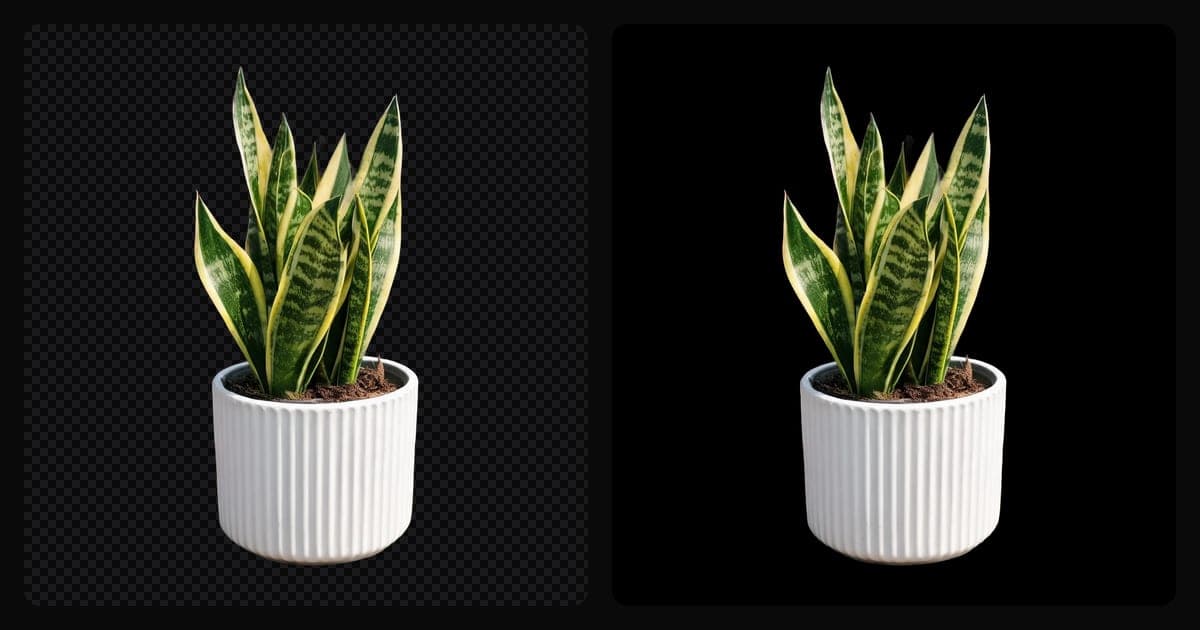
Why does my transparent PNG turn black on Etsy?
Because Etsy doesn't support transparency. Its help center says it plainly: "transparent .png files are not supported", and if a file contains transparency, "the transparent parts of the image will appear black on Etsy" (Etsy Help).
The fix is simple: before you upload, put the product on a real background color, white or any other, and save the file without transparency.
Why it happens
A cut-out product saved as PNG keeps an invisible layer around it, the alpha channel. Most screens show that layer as a checkerboard or as white, so the file looks fine on your computer.
Etsy doesn't fill that layer with white for you. The empty pixels come out black, and a product cut out cleanly ends up sitting on a black square in search, in the thumbnail and on the listing page.
It's easy to miss, because many background removal tools hand you exactly this kind of file. Removing the background and filling the background are two different steps.
Flattening also takes care of soft edges and glass products, because every pixel ends up with a solid color.
What to upload instead
Any of these works on Etsy:
- A JPG. JPG has no transparency, so whatever background the image has is what buyers see.
- A PNG flattened onto a solid color. The file is still PNG, but every pixel has a color and none are see-through.
- A photo of the product on a real surface, which you need on Etsy anyway: more on that in the one-unedited-photo rule.
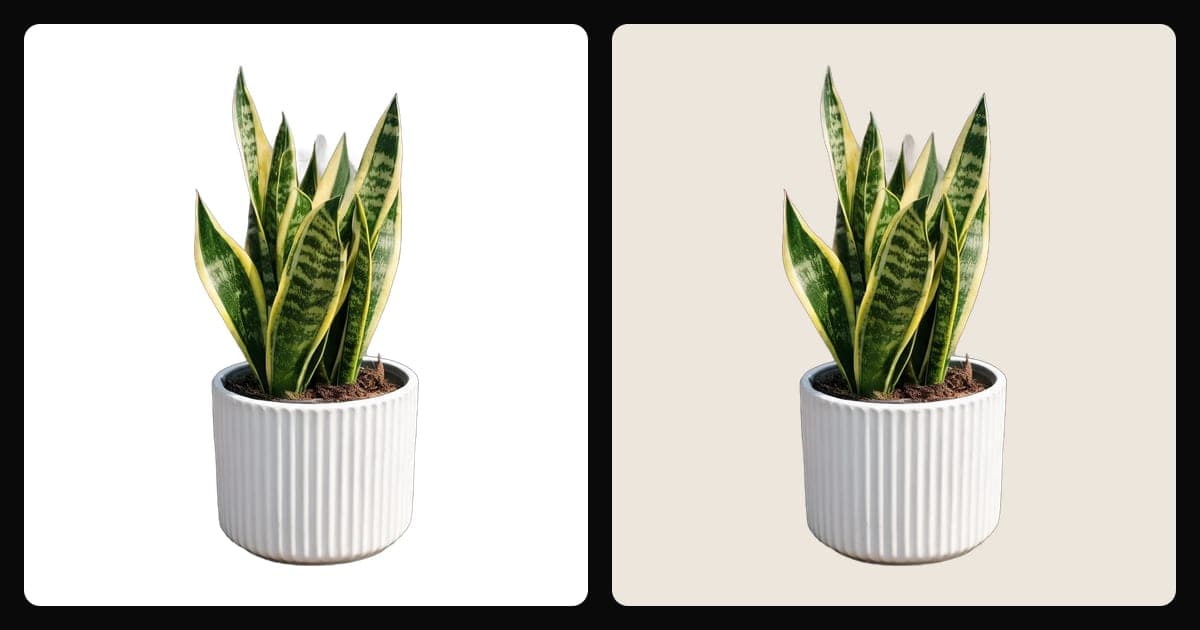
How to flatten a transparent PNG onto a white background
In almost any editor the steps are the same:
- Open the transparent PNG.
- Add a new layer below the product and fill it with white, or with the color of your brand.
- Merge or flatten the layers, so nothing transparent is left.
- Export as JPG, or as PNG with no transparency.
- Check it: open the file in a viewer that shows transparency as a checkerboard. If you see no checkerboard, Etsy won't show black.
If you use Setlys
Setlys downloads a JPG, or a PNG when the image has transparency. So if you removed the background and kept it transparent, you get exactly the file that turns black on Etsy.
If you sell on Etsy, choose a white or colored background before you download. You can do it in color or transparent background, after remove background if the original photo has clutter behind the product. A contact shadow helps a white background look like a real surface instead of a cut-out: see product shadows explained.
One honest note on size: Setlys downloads at 1200 px on the short side. Etsy recommends listing photos with a width and height of "at least 2000 pixels", so a Setlys download sits below that recommendation, though above the 635 px Etsy asks for in the first photo.
Other Etsy photo settings worth checking
While you're fixing the background, these come from the same Etsy help page:
- First photo: Etsy says it "should have a width and height of at least 635 pixels to avoid showing up lower in searches."
- Recommended size: at least 2000 pixels on both sides.
- File size: "Images larger than 1MB in file size may not finish uploading, especially on a slower internet connection."
- Color: Etsy suggests converting to sRGB before uploading so the colors you see match the originals. CMYK is for print.
- Cropping: leave enough border around the product that the thumbnail can be cropped to square, portrait and landscape without cutting the product.
A quick checklist before you upload
- No transparency left in the file.
- A white or colored background that you chose, not one Etsy fills in.
- At least 635 px on both sides for the first photo, ideally 2000 px or more.
- sRGB color, and a border around the product for the thumbnail crops.
- At least one unedited photo of the real item in the listing.
Your product on your brand's background, no studio needed.
Your product in a style like studio, marble or by the window, or on white. A style costs 1 credit; white is free.
Sources
Checked October 29, 2026.